
Local and online transcription
Start local transcription
- Open a video or audio file and click 转录 (Transcribe) in the toolbar.
- Turn off 开启远程转录 (Enable remote transcription), then choose a local model and the media language.
- Submit the task and wait in Task queue.
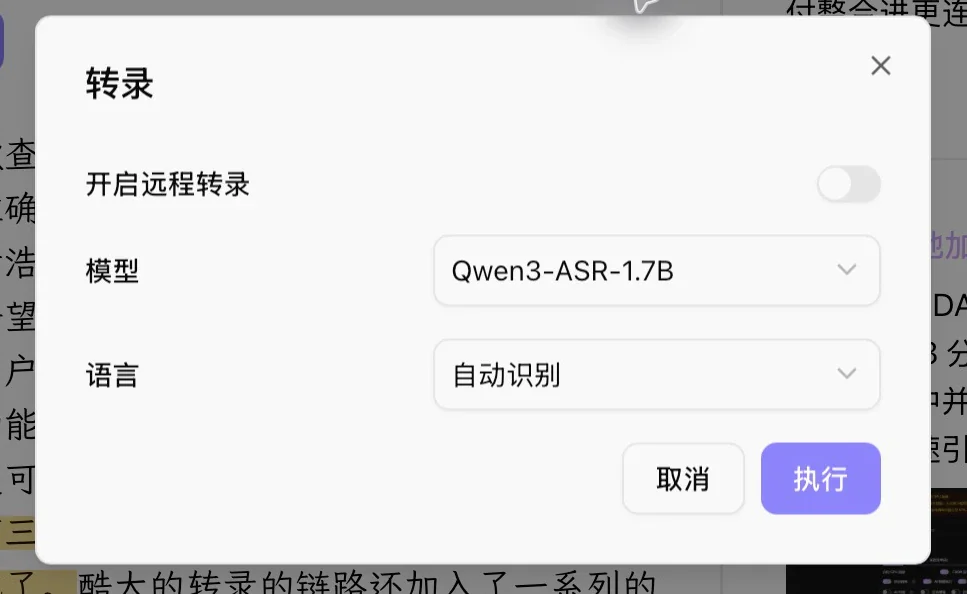
Install missing models in Local models. Once transcription finishes, the transcript appears on the video page and can be used for summaries or translation.
Use online transcription
In the transcription dialog, enable remote transcription, select the remote model and language, then submit. Use automatic detection when the language is uncertain, or specify a known language explicitly.
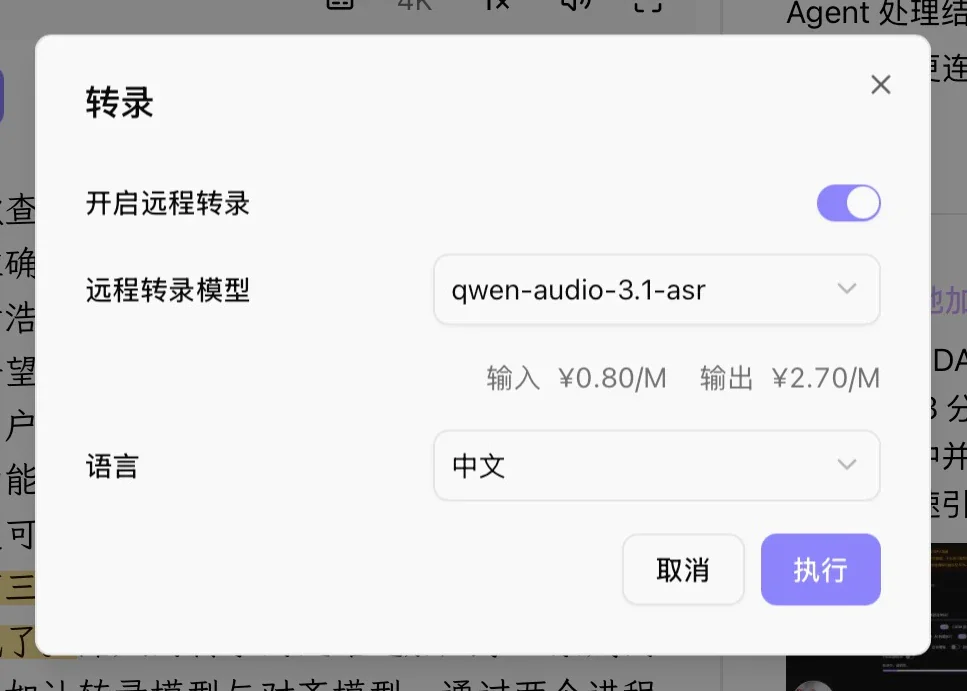
Online transcription calls a network service. Official services require activation and available balance. Use current dialog pricing and settled usage; screenshot prices only show what appeared at capture time.
Batch transcription and reuse
At the bottom of the file tree, use 选中 (Select) for multiple media files, then 批量操作 → 转录 (Batch actions → Transcribe). Before retranscribing, check whether existing transcripts already meet your needs. Reusable results may be offered when available. Actual reuse and charges are determined by task results.
Home’s One-click summary uses the current transcription preference. Check and save that preference in Settings → Transcription settings when changing the automatic workflow.