
Troubleshooting
One-click summary produces no result
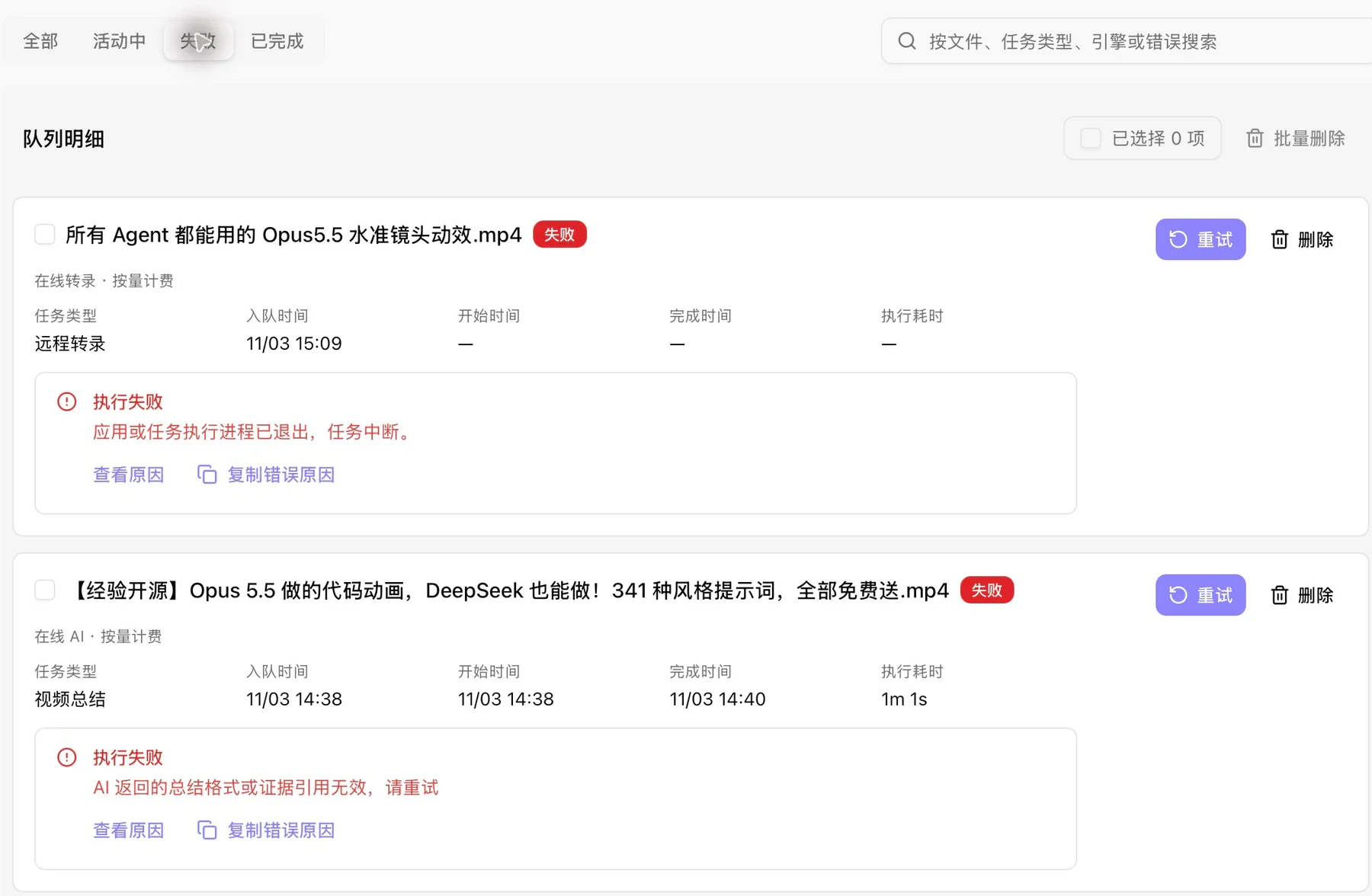
Check which stage stopped in Task queue. A completed download does not mean transcription and summarization are finished. Failed predecessors prevent subsequent stages from starting. Fix the original task error and retry.
Download requires authentication
Confirm browser playback first, then check the Cookie source in Settings → Video download. Check login separately on the Bilibili favorites page. Sign in again if the session has expired.
A model is missing
Install the model named by the error in Local models. ASR, alignment and embedding models serve different purposes; an installed ASR model alone does not prepare every local feature.
Summary is disabled or the transcript is empty
Open a specific media file and confirm its transcription task succeeded. Download-only media has no transcript yet; click Transcribe first. Reopen the file if a completed result has not refreshed.
The transcript has errors
Listen to the source passage. Add names and product terms to hotwords before future transcription, and check the language and model selection. Verify names and numbers in AI summaries as well.
Export fails
Confirm that the required transcript or summary exists and select a writable output folder. Check filename, available space and folder permissions, then inspect the resulting file.
What to include in a report
Record app version, operating system, steps and task error. Include screenshots with activation codes, email, phone, Cookies and API keys removed.