
Install, update and activate
Install OctSum
- Open the OctSum download page and choose the installer for your operating system.
- On macOS, open the package, move the app to Applications and launch it. On Windows, follow the installer and launch the app.
- Create or open a workspace before processing videos.
Check for updates
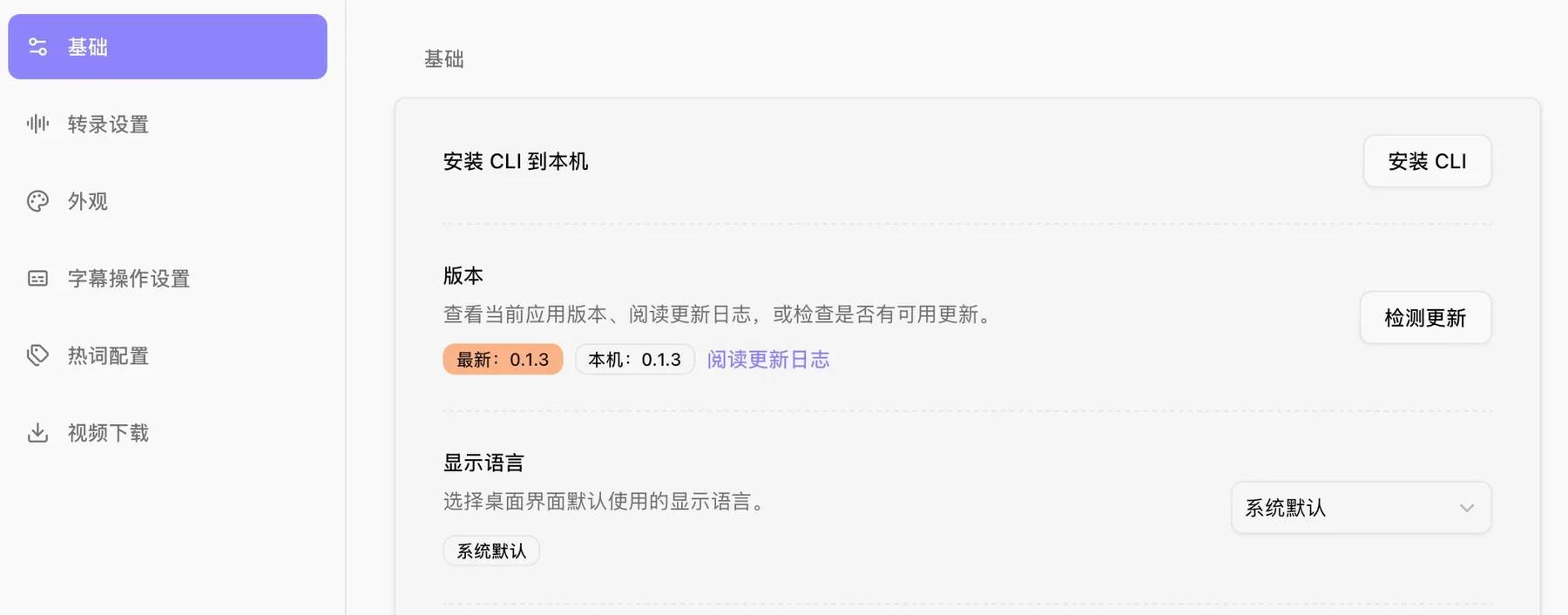
Go to 设置 → 基础 (Settings → Basic). In the Version area, check the installed version, use 阅读更新日志 (Read changelog), or click 检测更新 (Check for updates).
Activate OctSum
In Settings → Basic, follow the Activation code area to enter and activate your code. Activated installations show binding information; keep it out of public screenshots. Protected actions can also open the activation dialog. After activation, run the original action again.
Official online services also require available balance. Activation, balance and settled model charges are separate; activation does not mean unlimited online AI usage.