 OctSum
Personal Video Knowledge Base: Organize Saved Learning
A favorites list answers what to watch later. A knowledge library also answers why you saved it and how you will use it. Start with one topic and keep the videos close to your own notes.
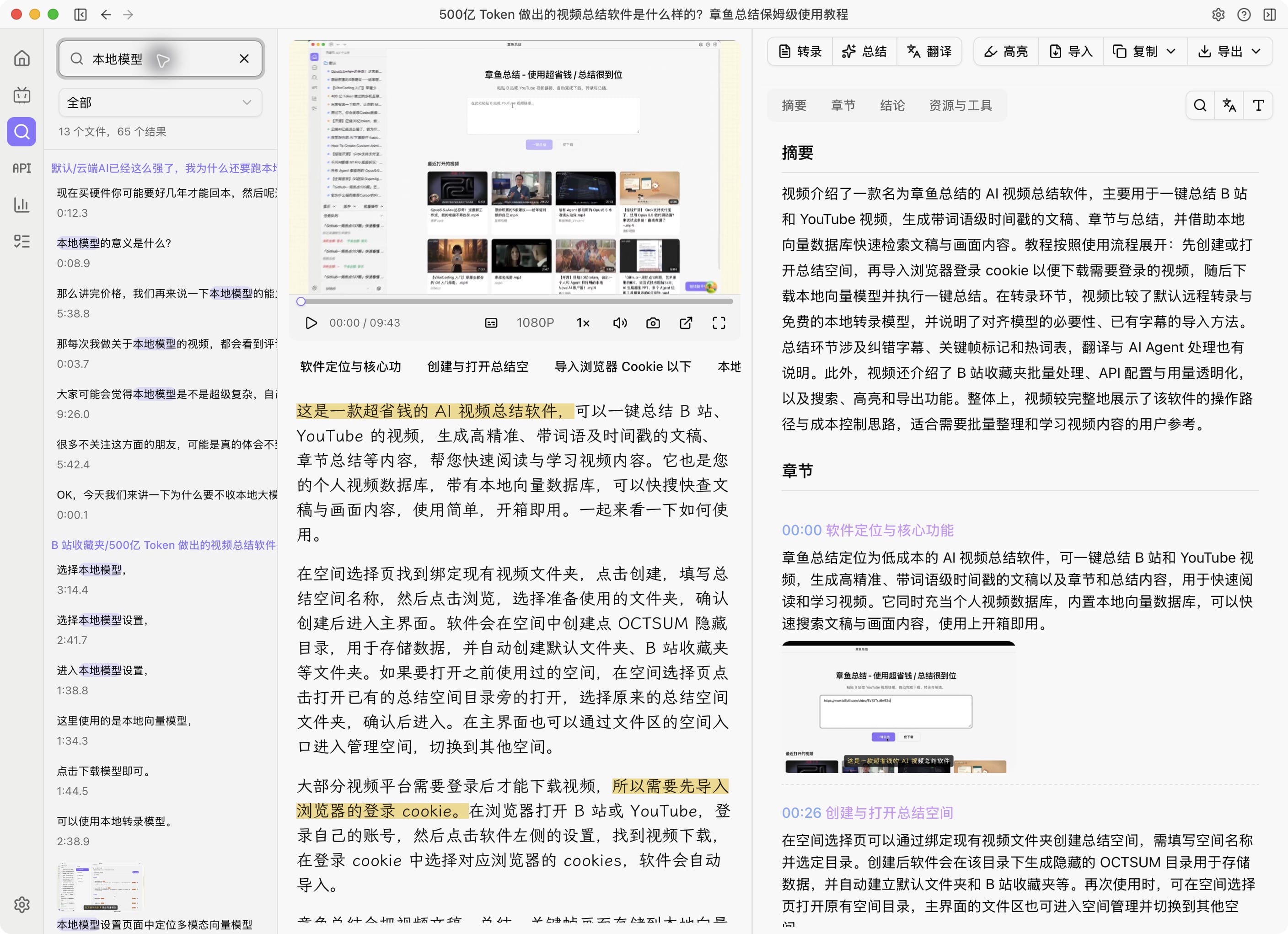
Real app view: transcript and frame matches for “local models” in the example workspace.
Define scope and naming first
Start with a manageable workspace organized by course, project or research topic. Recognizable filenames connect results to their sources.
A pile of unprocessed videos is not automatically searchable knowledge. Complete the relevant indexing, transcription and frame tasks first.
The desktop workflow
- Choose a current question: Define what you want to learn or investigate. Import relevant videos or organize an appropriate Bilibili or YouTube favorites collection.
- Summarize and select useful material: Work through transcription and summarization, then review chapters, transcripts and frames. Verify the conclusions relevant to your question and retain their sources.
- Maintain your own notes: Export useful material as Markdown and add your interpretation. Return to the original videos when you need to quote, check or update an idea.
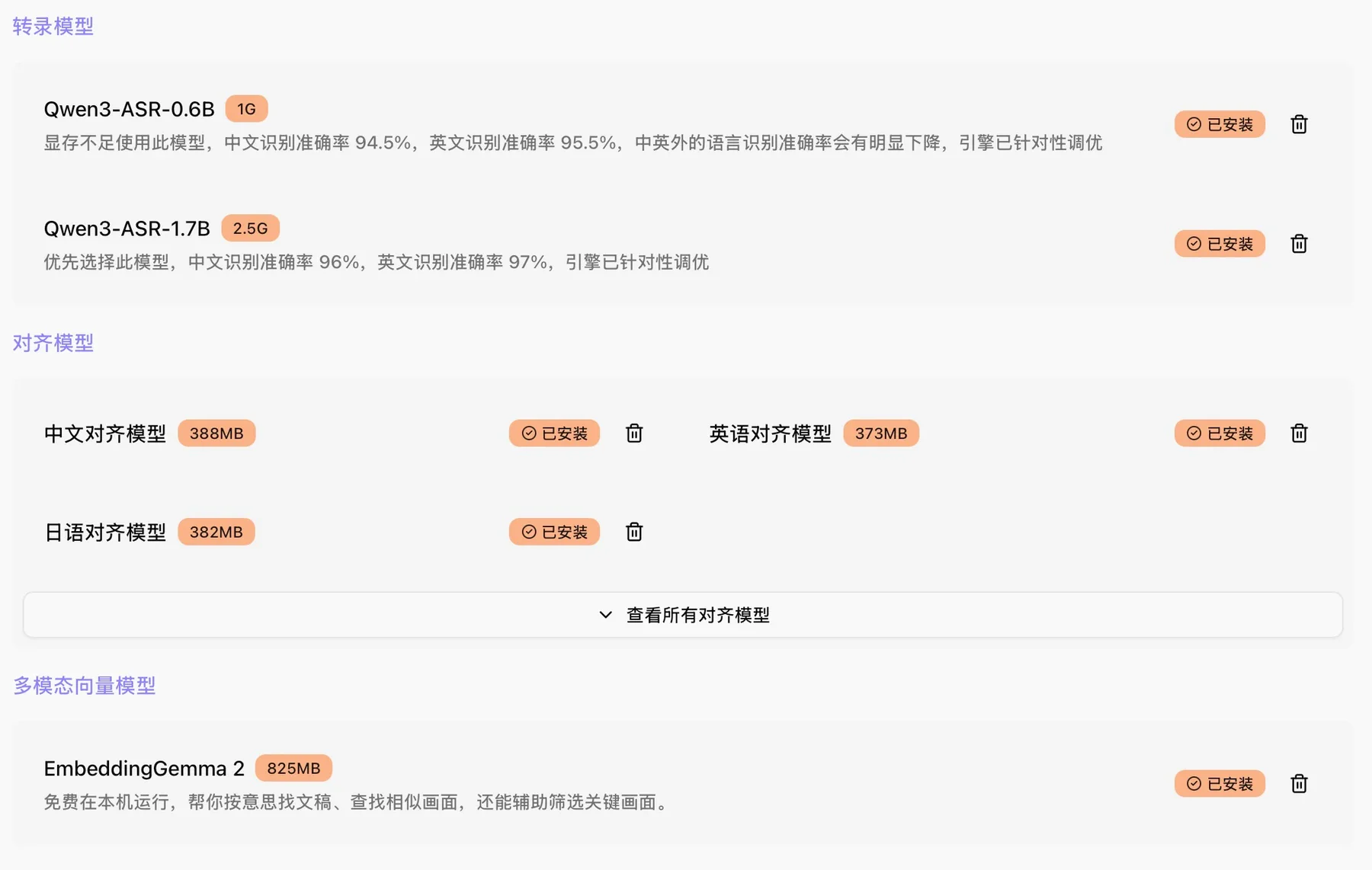
ASR, language alignment and embedding models. Screenshot performance figures are not universal benchmarks.
Use each reading layer deliberately
Overviews filter material, chapters locate it, transcripts retain wording and frames preserve visual context. Keep those layers connected to source media.
Semantic retrieval requires models and prepared data. Its scope is the current workspace, and similarity does not verify the truth of a claim.
Maintain the collection
Review duplicates and unavailable sources. Before moving media or changing devices, understand how to retain both recordings and workspace data.
Export only what should be shared. Building a knowledge base does not authorize publishing private recordings or credentials.
Example note structure
This original example illustrates a possible structure; it is not the actual result shown in the screenshots.
One video explains how to ask about recent events. Another discusses recording exact wording. A third distinguishes isolated feedback from recurring problems.
Topic structure: Keep sources for asking questions, recording answers and interpreting patterns.
Personal note: In the next interview, ask about a recent event and record the original words before adding an interpretation.
Maintenance: Add new examples as you find them. Recheck sources when your conclusion changes.
Frequently asked questions
How is this different from a favorites list?
A favorites list mainly stores links. This workflow also organizes transcripts, chapters and summaries, checks them against the video and produces readable, exportable notes.
Will my library automatically sync to my phone?
This page describes the desktop workspace and notes workflow, not phone synchronization. Check the actual release status of mobile and other clients.
Can I process all my favorites at once?
Favorites workflows are available, but access permissions, task execution, device performance and AI service usage affect the outcome. Test a small collection before expanding it.
Start with one familiar source
Validate the workflow with a short recording before moving to longer material or a batch. Processing takes place in the Windows or macOS app; the website provides information and downloads. Software licensing is separate from AI usage. Local ASR does not consume official credits; online services, personal APIs and external agents may charge separately.
Start with one video
Create an account, download OctSum, then import, transcribe and summarize on your computer. AI service availability and costs depend on your chosen model and configuration.