
Quick start
Make your first video summary
- Click 管理空间 (Manage workspaces) at the bottom left, then create or open a workspace.
- For local transcription, install a transcription model, a matching alignment model and the embedding model in 本地模型 (Local models). For online transcription, check activation and the online service configuration first.
- Return to 首页 (Home) and paste the demo URL.
Open the demo video: HaoOne V13 release
text
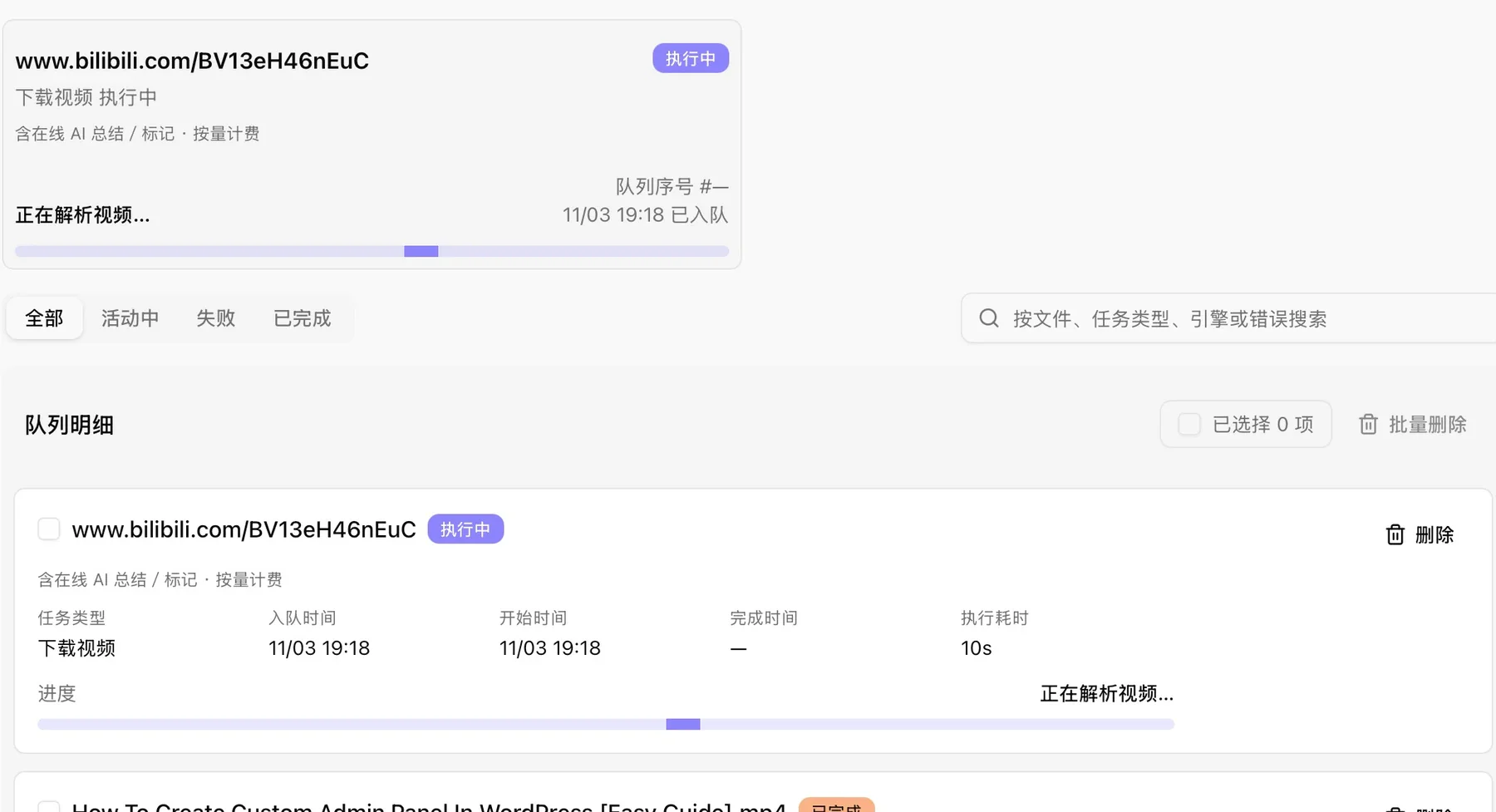
https://www.bilibili.com/video/BV13eH46nEuC/- Click 一键总结 (One-click summary). OctSum downloads, transcribes and summarizes the video in sequence, and may then mark keyframes and key sentences.

- Open 任务队列 (Task queue) to follow the current stage. When processing finishes, open the video from the file tree.
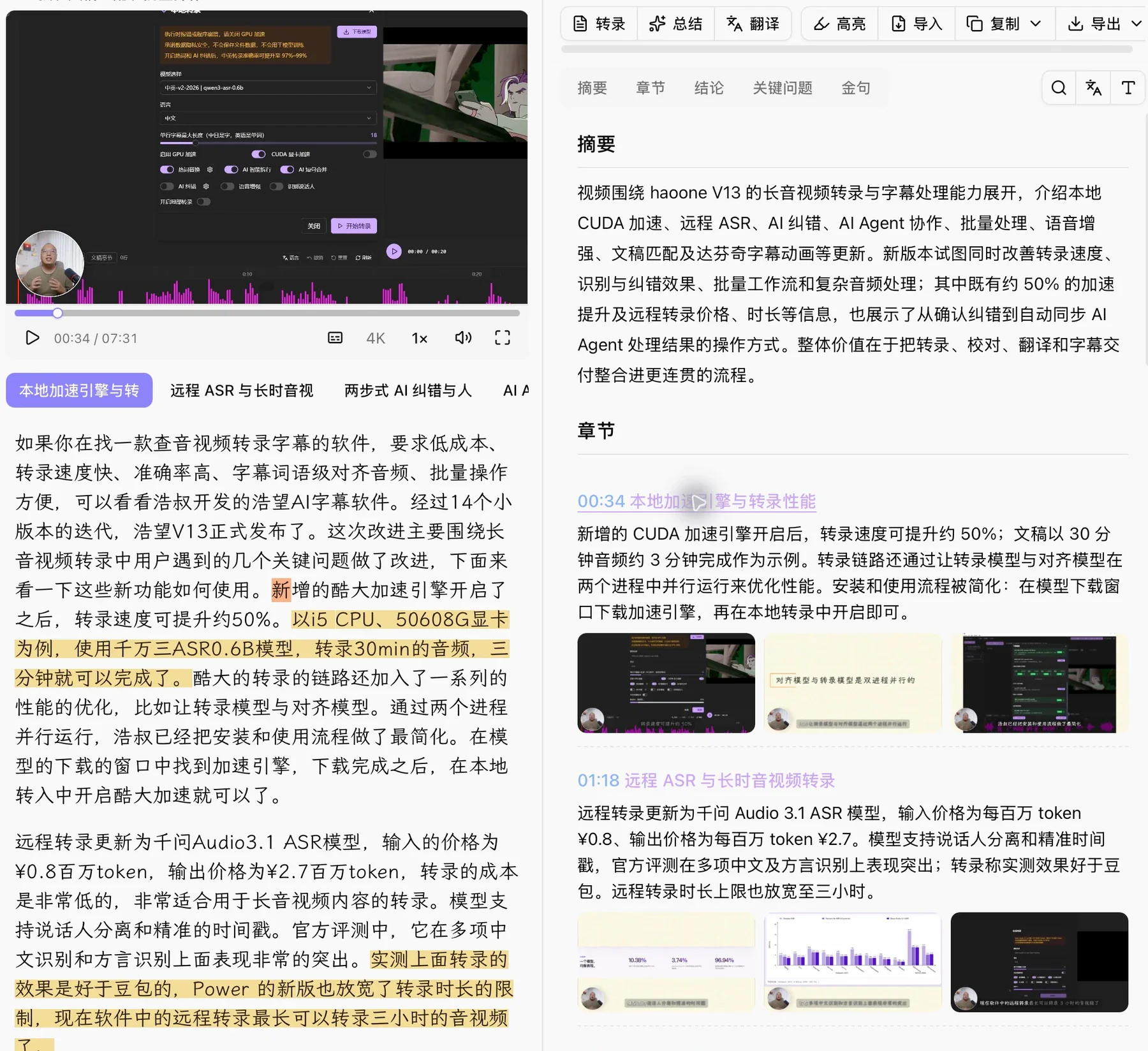
- Read the summary and click chapter or item timestamps to review the original video. Use 复制 (Copy) or 导出 (Export) to save the result.
Continue learning
- Downloads and Cookie settings
- Local and online transcription
- Generate and read summaries
- Copy and export
Local transcription does not deduct account balance. Online transcription, AI summaries and AI markings may incur usage charges. Check task records and Model usage for settled amounts. This manual uses macOS 0.1.3 screenshots in Chinese; Windows file dialogs and shortcut labels may differ. Chinese control labels are included here to help match the screenshots.