 OctSum
Video to Text: Create Transcripts Before AI Summaries
When you need to verify a quote, find a number or read a long explanation, a full transcript is often more useful than a short summary. Start with the speech, then decide what to summarize.
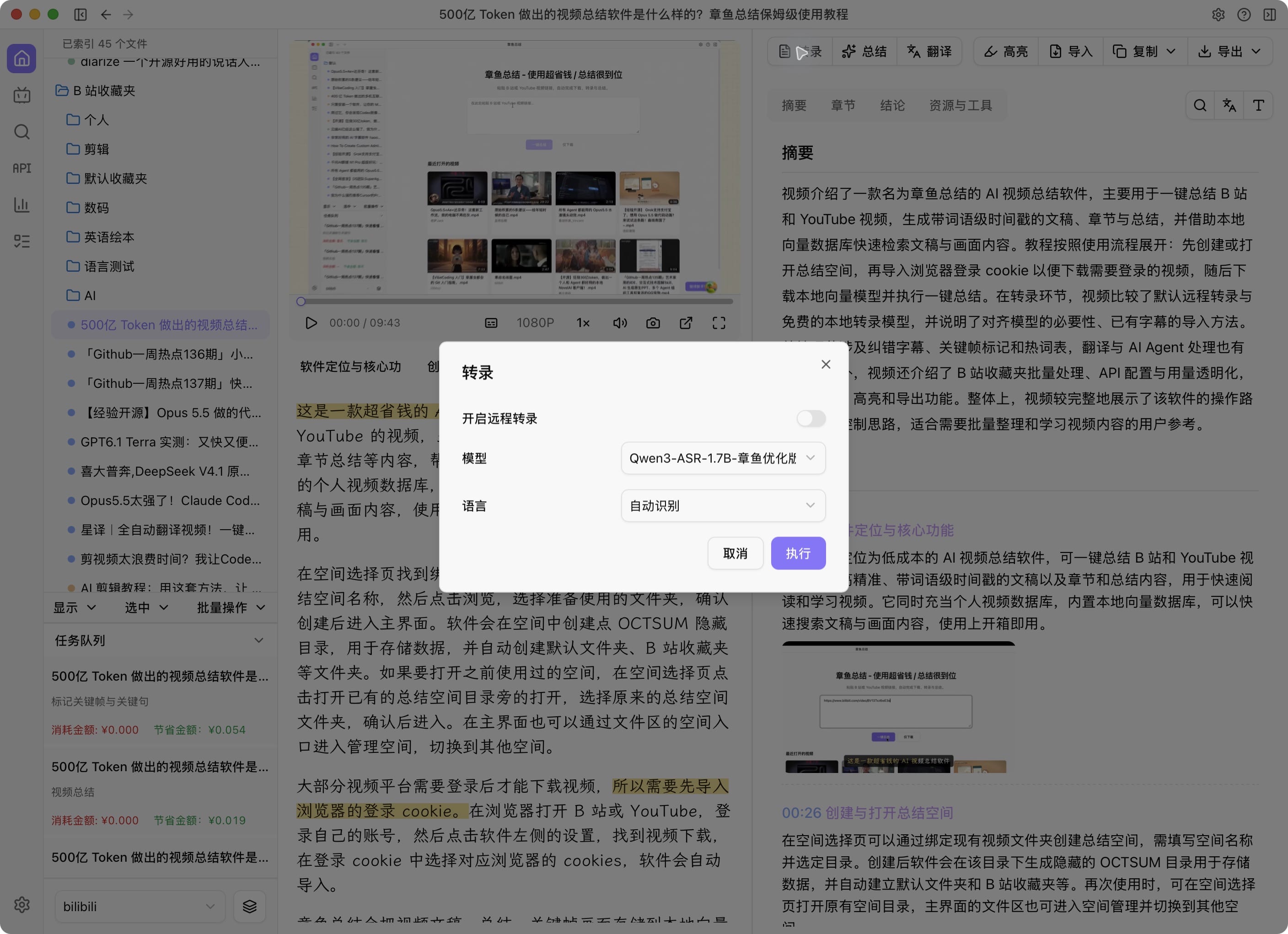
Real app view: local transcription model and source-language selection.
Transcription and summary serve different needs
Transcription answers what was said in detail. It supports quotation checks and later summaries, but is not exhaustive OCR of every video frame.
Check speech and language. Consider importing useful existing captions rather than automatically recognizing everything again.
The desktop workflow
- Choose content with clear speech: Import local media or a supported video link. Check that an audio track is available and choose a suitable recognition language and model.
- Generate and review the transcript: Run transcription, then navigate from the text to the source. Pay particular attention to numbers, specialist terms and ambiguous statements.
- Save the text or continue to a summary: Copy or export the transcript for reading. If you also need a shorter version, use an AI model to create chapters and a summary.
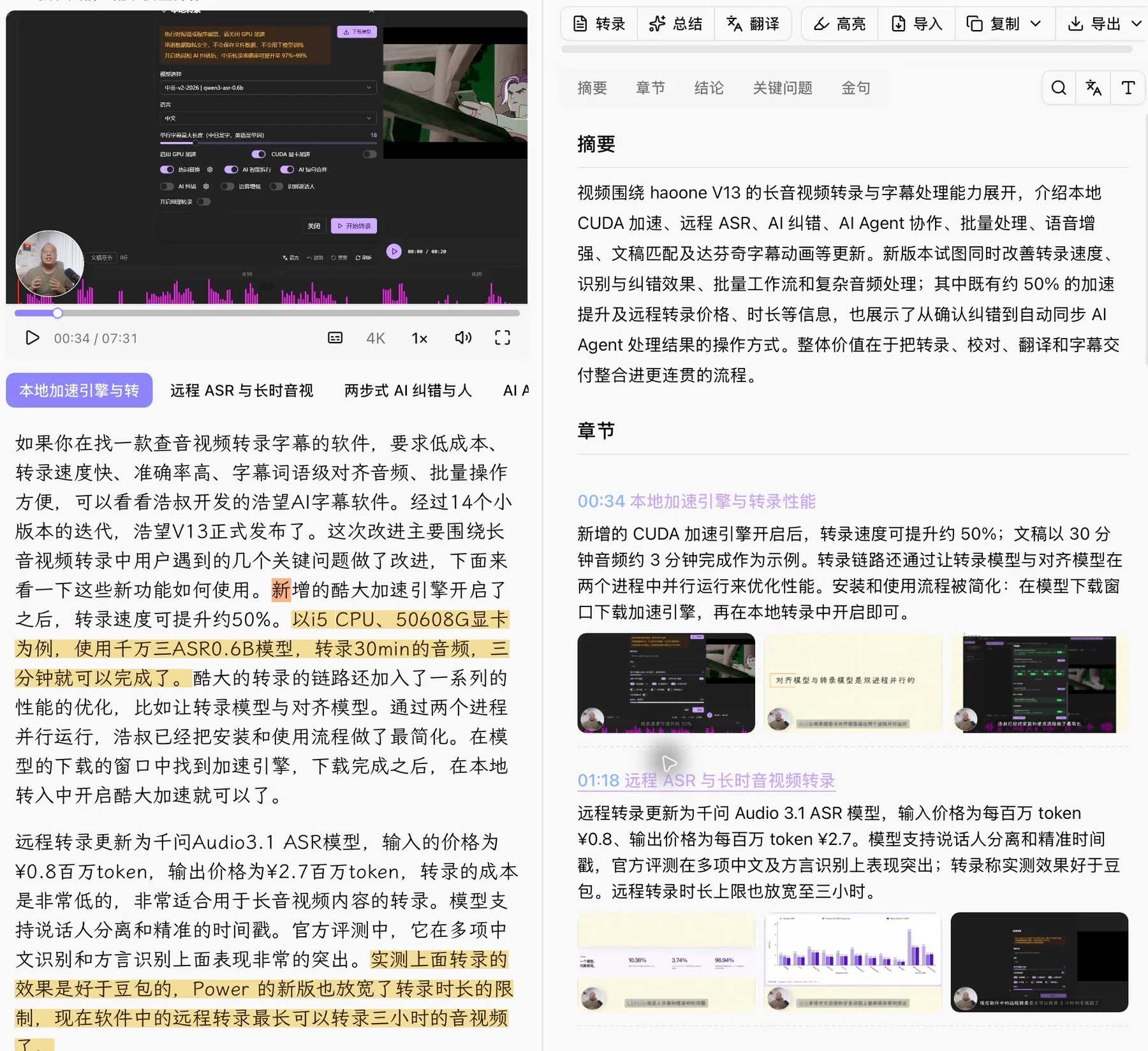
Transcript, source video and summary side by side. Source content does not imply extra product features.
Choose local or online processing
Local ASR uses installed models and device resources without consuming official transcription credits. Online services require network access, permission and available usage.
Compare a representative passage for text, timing and actual duration rather than choosing by model size alone.
Review before reusing the text
Prioritize names, numbers, abbreviations and terminology. Confirm correction suggestions rather than assuming every automatic edit is right.
Continue to summaries, translation or transcript export according to purpose. Exact quotations still require listening back.
Example note structure
This original example illustrates a possible structure; it is not the actual result shown in the screenshots.
We invited five colleagues to try it. All of them completed the submission, but two did not know where to find the result. The next test focused on whether the result link was easy to find.
Facts to retain: Five colleagues participated; two did not find the result link.
Transcription check: Listen again to confirm the numbers five and two.
Summary versus quotation: Submission worked but result discovery needed improvement is a paraphrase, not the speaker's exact wording.
Frequently asked questions
Can I transcribe a video without subtitles?
If the audio is available and contains recognizable speech, transcription can create text without an existing subtitle file.
Can this extract every word visible on screen?
This page covers speech transcription. Slides, visible captions and other on-screen text are different sources; this is not a promise of general-purpose OCR extraction.
Do I need to proofread the transcript?
Yes. Verify numbers, names, overlapping speech and quotations against the audio. Automatic recognition is not a guarantee of a completely accurate record.
Start with one familiar source
Validate the workflow with a short recording before moving to longer material or a batch. Processing takes place in the Windows or macOS app; the website provides information and downloads. Software licensing is separate from AI usage. Local ASR does not consume official credits; online services, personal APIs and external agents may charge separately.
Start with one video
Create an account, download OctSum, then import, transcribe and summarize on your computer. AI service availability and costs depend on your chosen model and configuration.