 OctSum
Search video content by transcript and visual meaning
Video content search helps when you remember an idea but not its source video. OctSum searches transcripts and frames within the current workspace and groups matches by video. It is retrieval over prepared material, not a search engine for every video on the web.
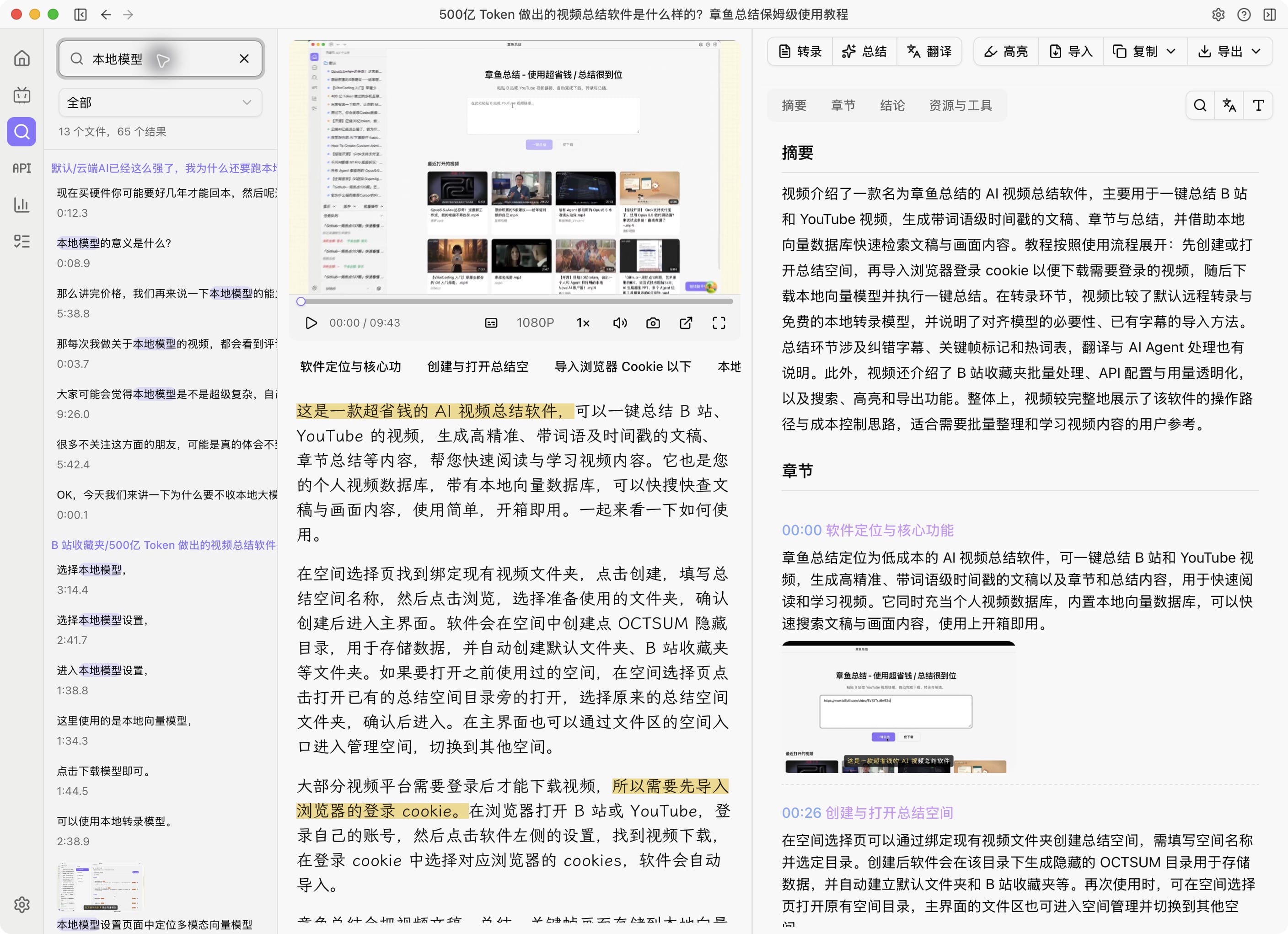
Real app view: transcript and frame matches for “local models” in the example workspace.
Choose keywords or meaning deliberately
Use a short distinctive name when you know the wording. When only the idea is familiar, describe it concretely. Questions containing many unrelated topics make relevance harder to judge.
Switch between all, transcript and visual results as appropriate. A similar result is a candidate passage, not automatically a correct answer.
The desktop workflow
- Check workspace scope, models and processing status before searching.
- Enter a keyword or semantic description and choose transcript or visual scope.
- Open matches, inspect context and save useful passages with their sources.
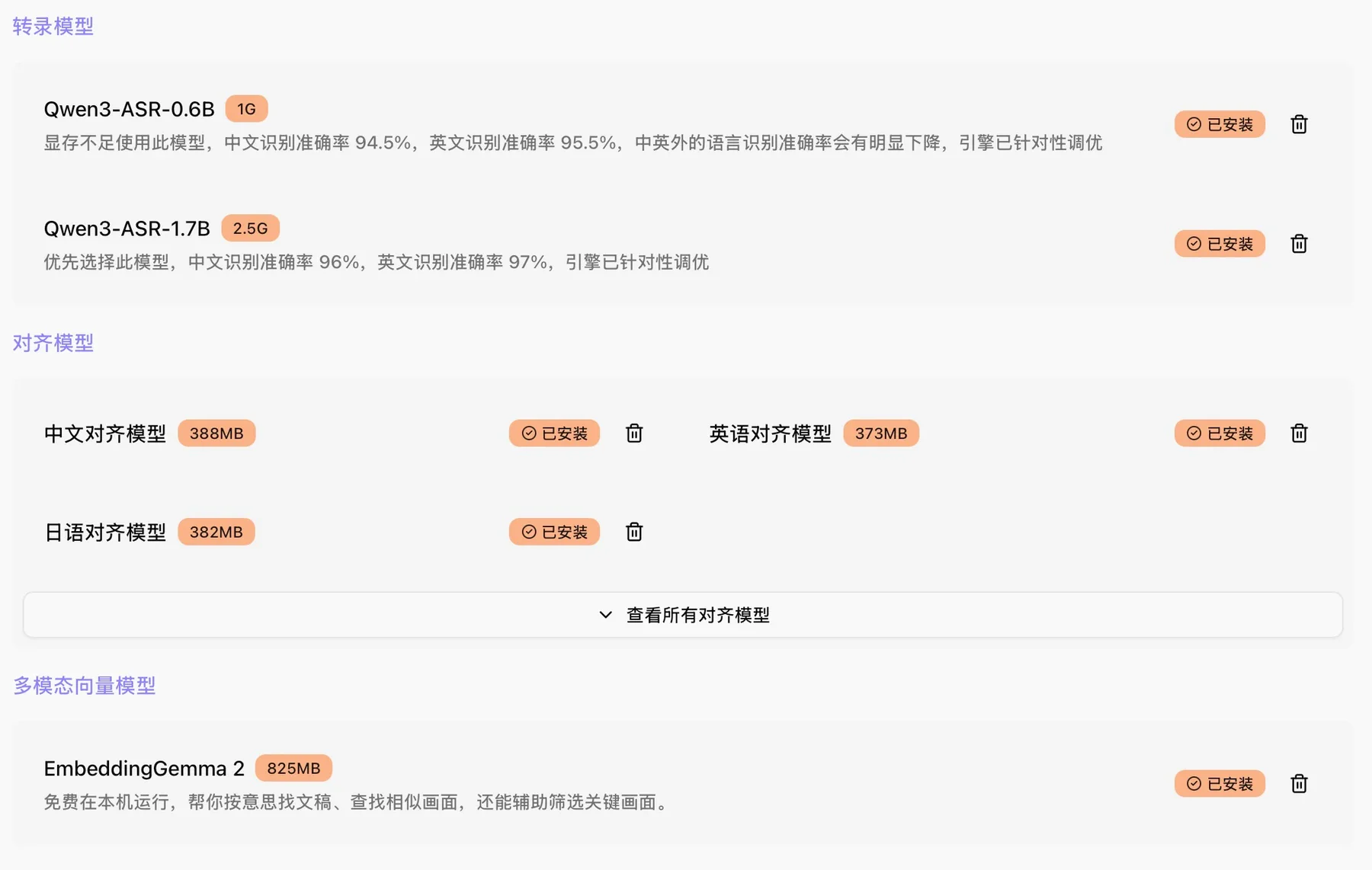
ASR, language alignment and embedding models. Screenshot performance figures are not universal benchmarks.
Workspace and indexes define scope
Confirm the current workspace, completed processing and required embedding models. A newly imported file may not yet have a searchable transcript or frames.
For empty results, inspect scope and task status before regenerating content. No match in one workspace does not prove the material never existed.
Open the source moment
The real screenshot searches for “local models” and shows transcript passages and frame entries. Its counts describe that example workspace only. Read surrounding context after opening a match.
Save useful passages with their source, or use highlights and exported notes. Retrieval reduces manual seeking; it does not establish whether the speaker’s claim is true.
Frequently asked questions
Does this search every online video?
No. The workspace must contain the material and its relevant processed data.
Why is a new import missing?
Check indexing, transcription, keyframe tasks, models and filters.
Does visual similarity prove the same meaning?
No. Similar-looking frames can have different context; verify the source.
Start with one familiar source
Validate the workflow with a short recording before moving to longer material or a batch. Processing takes place in the Windows or macOS app; the website provides information and downloads. Software licensing is separate from AI usage. Local ASR does not consume official credits; online services, personal APIs and external agents may charge separately.
Start with one video
Create an account, download OctSum, then import, transcribe and summarize on your computer. AI service availability and costs depend on your chosen model and configuration.