 OctSum
Local video transcription: choose models, languages and alignment
Local video transcription helps control speech-processing costs on your own computer. OctSum uses ASR, language alignment and multimodal embedding models for different jobs. Install the required resources, confirm local mode and validate one source before scaling up.
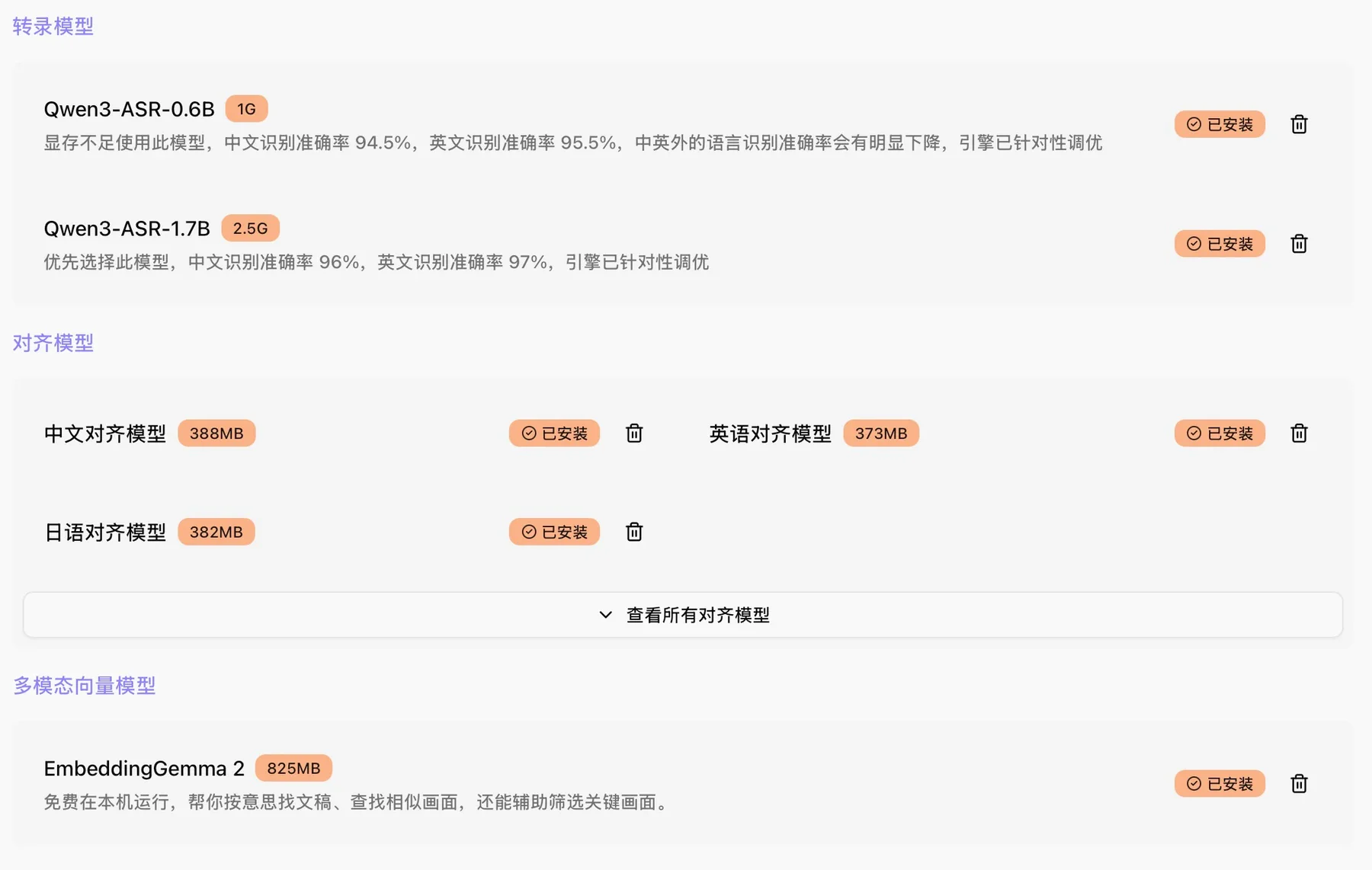
ASR, language alignment and embedding models. Screenshot performance figures are not universal benchmarks.
Understand the model roles
ASR recognizes speech; alignment locates words in audio; embeddings support semantic and visual retrieval. Installing ASR alone does not satisfy every task’s model requirements.
The current model page offers different Qwen3-ASR sizes. Smaller options may suit constrained hardware, but speed and accuracy depend on your own device, language and audio.
The desktop workflow
- Install ASR, required language alignment and any needed embedding model.
- Disable remote mode and test a short source with the chosen local model.
- Check wording and timing, retain the transcript and continue to summaries or batches.
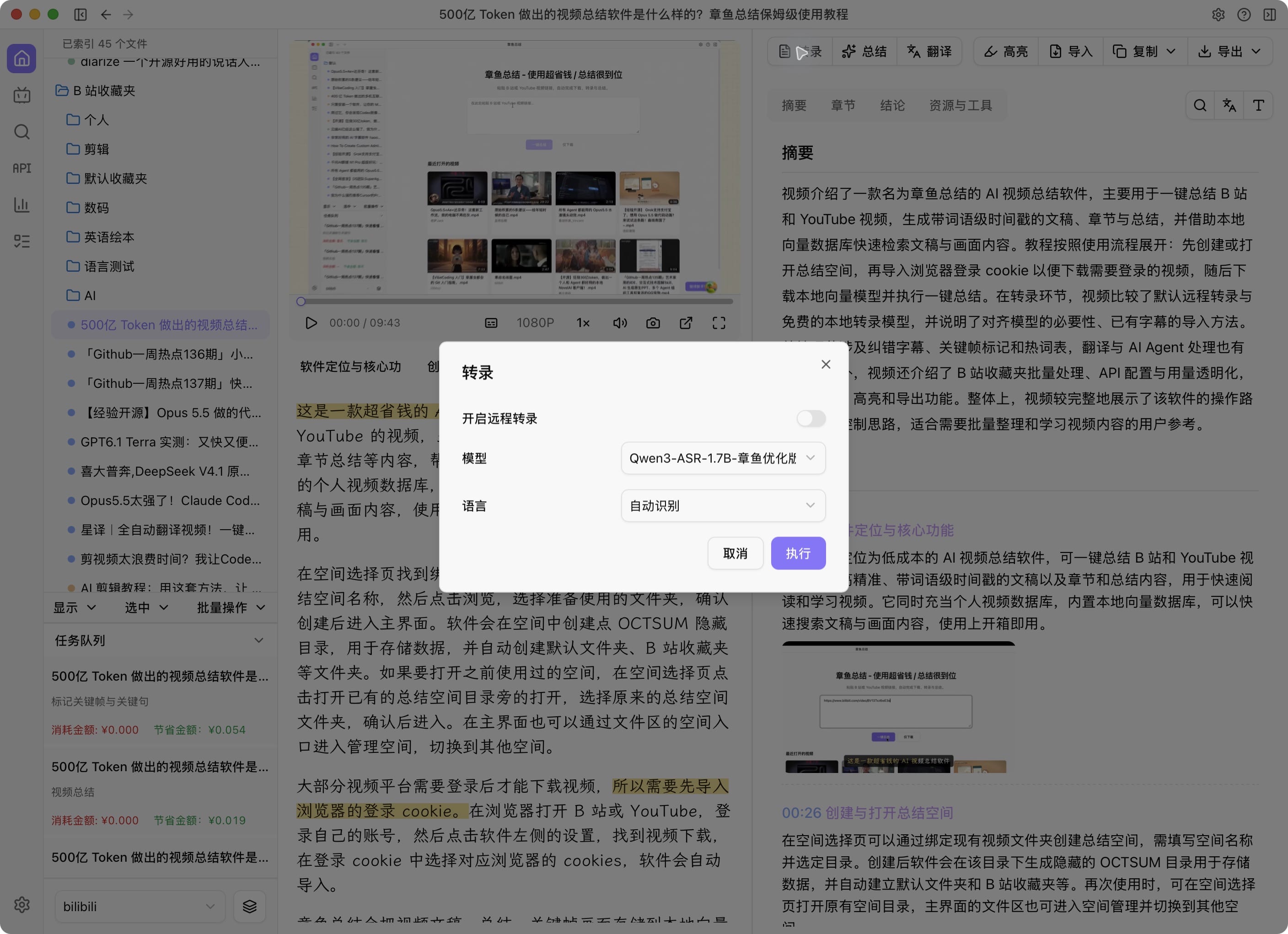
Real app view: local transcription model and source-language selection.
Installation is separate from task selection
Model downloads require network access and storage. After installation, open transcription, disable remote mode and select the local model and source language.
Downloading a model does not change an already selected remote route. Install language alignment resources as required and validate timing on a short sample.
Local ASR is not an entirely offline workflow
Local transcription and embeddings do not consume OctSum AI credits. Online summaries, translations and other remote requests follow their service billing.
Inspect resource and file errors before repeatedly changing services. Keep a valid transcript so later summarization does not repeat speech recognition unnecessarily.
Frequently asked questions
Is a discrete GPU mandatory?
Check current device and model support and test your own machine. Equal performance on all hardware is not promised.
Why are credits used after model installation?
Check remote mode and whether another task, such as online summarization or translation, is running.
Do screenshot accuracy figures apply to my source?
Not automatically. Accent, audio, language and evaluation methods affect results.
Start with one familiar source
Validate the workflow with a short recording before moving to longer material or a batch. Processing takes place in the Windows or macOS app; the website provides information and downloads. Software licensing is separate from AI usage. Local ASR does not consume official credits; online services, personal APIs and external agents may charge separately.
Start with one video
Create an account, download OctSum, then import, transcribe and summarize on your computer. AI service availability and costs depend on your chosen model and configuration.