 OctSum
Video to illustrated notes: connect keyframes with explanations
Illustrated video notes connect what was said with what was shown. A button position, a diagram or a before-and-after state can disappear in a text-only summary. OctSum combines transcripts, chapters and keyframes so you can read the explanation and return to the visual evidence.
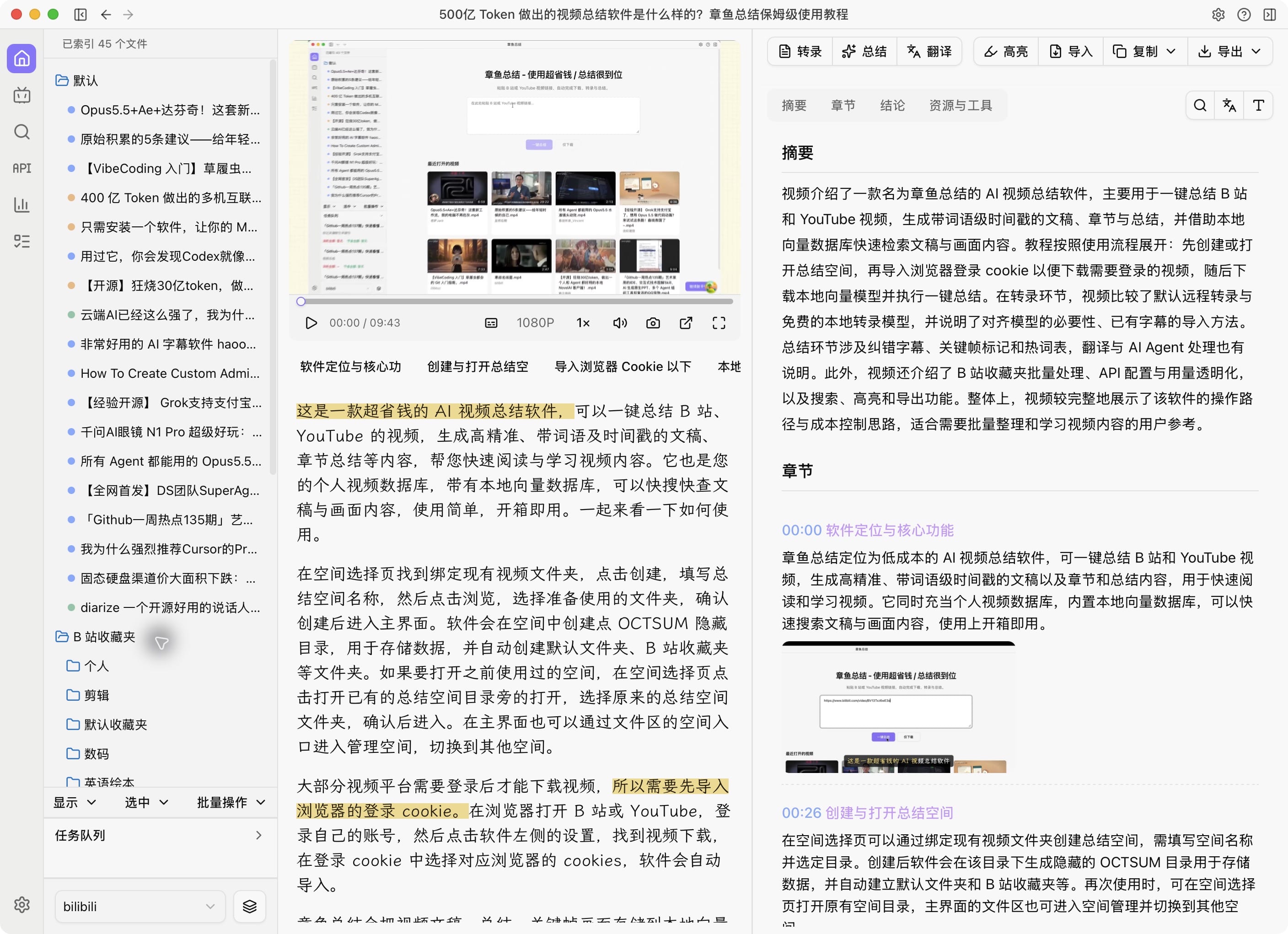
Real app view: reading the official OctSum tutorial with its transcript and summary.
Choose frames that explain something
Keep diagrams, settings and visible outcomes that change understanding. Repeated similar shots need not become separate key points. The value of a frame is the explanation it supports, not the number of images collected.
Audio-only files have no source video frames. They can produce transcripts and summaries, but cannot recover slides that were never included in the source.
The desktop workflow
- Import a video with useful visuals and check the transcript around diagrams.
- Enable keyframe marking and generate the sections you need.
- Review image-to-text alignment, revisit timestamps and preview exports.
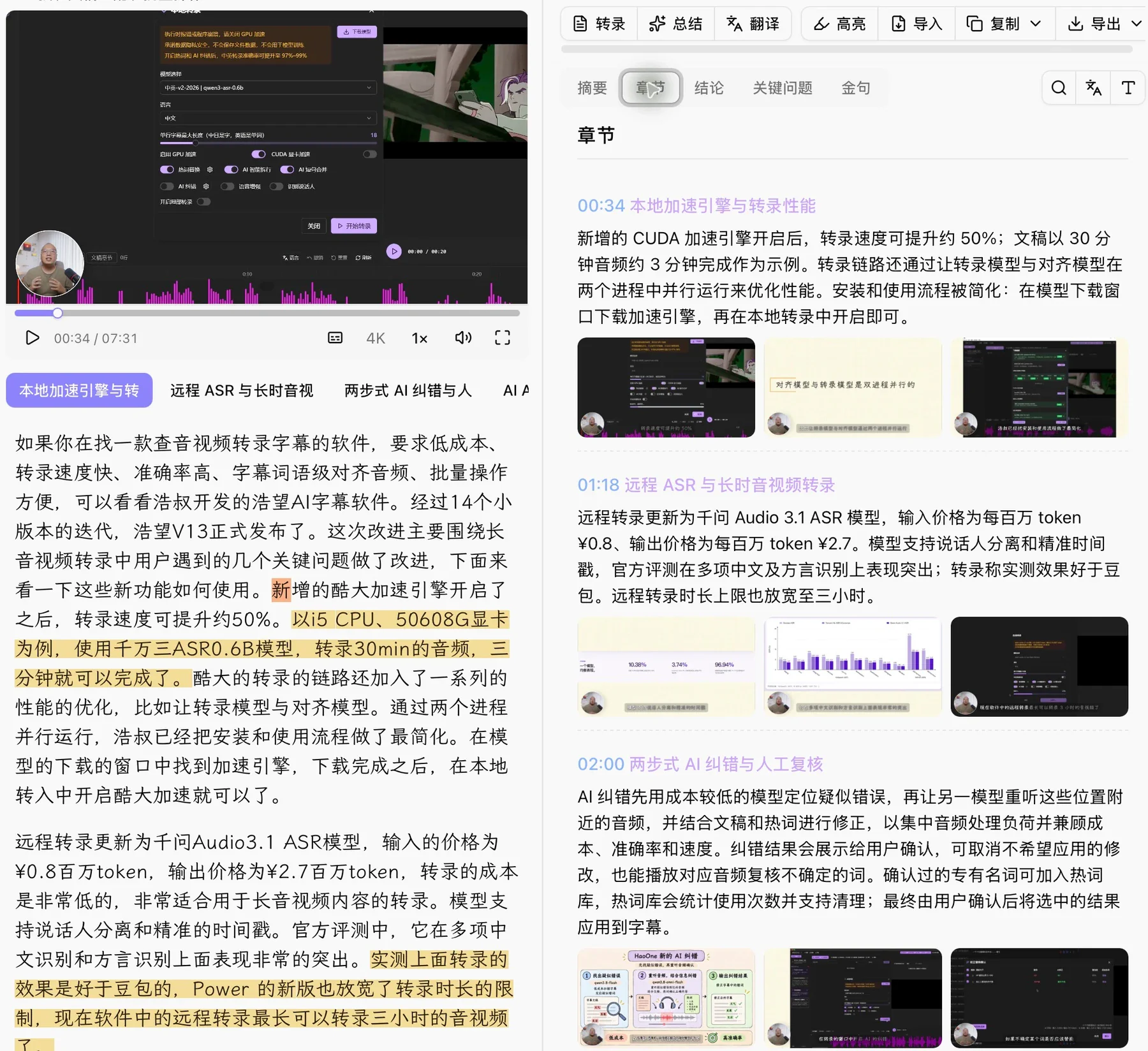
Chapters and keyframes. Features described inside the example source belong to that source product.
Generate and inspect illustrated chapters
Complete transcription, then confirm chapters and keyframe marking in the Summary dialog. When processing finishes, inspect the chapter explanations and images together. Use timestamps or frame links to revisit the source.
A screenshot may show a tutorial about another product. That tutorial content is demonstration material, not evidence that OctSum implements the other product’s features.
Preserve context around each image
A settings image is hard to reuse without the prerequisites and resulting state. Check toggle positions, units and version differences alongside nearby speech.
Preview the exported file to see which sections and images the chosen format retains. Keep the workspace and source video when you need reliable future reference, rather than saving disconnected screenshots alone.
Frequently asked questions
Can audio produce the same screenshots?
No source frames exist in an audio-only file. Use the original video to retain slides or interface states.
Is this complete slide extraction?
Keyframe organization is not a guarantee of extracting every slide or producing an editable slide deck.
What if a frame does not match?
Check the timestamp and nearby transcript. Important actions must be verified in the source video.
Start with one familiar source
Validate the workflow with a short recording before moving to longer material or a batch. Processing takes place in the Windows or macOS app; the website provides information and downloads. Software licensing is separate from AI usage. Local ASR does not consume official credits; online services, personal APIs and external agents may charge separately.
Start with one video
Create an account, download OctSum, then import, transcribe and summarize on your computer. AI service availability and costs depend on your chosen model and configuration.