 OctSum
Recording to notes: turn spoken material into reusable records
Turning a recording into notes involves both speech recognition and organization. OctSum creates a transcript, then helps you summarize and export it. This guide focuses on existing recordings and dictated material rather than promising a real-time meeting bot.
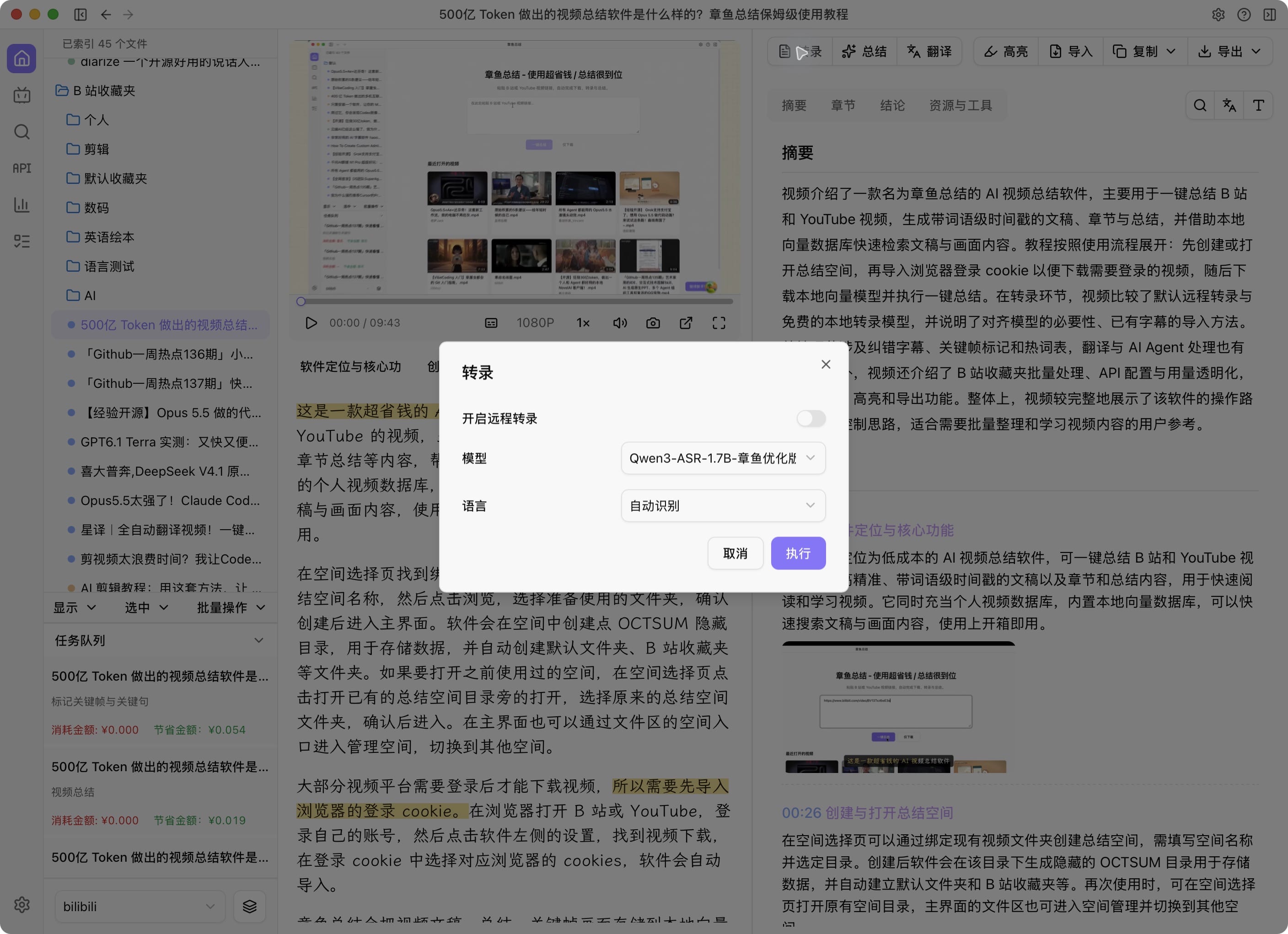
Real app view: local transcription model and source-language selection.
Retain speech before restructuring it
Spoken material includes corrections and unfinished ideas. A polished paragraph can conceal which version was finally agreed. Check important terms before reorganizing topics.
Name recordings by subject and date, and keep consecutive parts in order. Future notes should be traceable to a specific recording rather than an anonymous file.
The desktop workflow
- Organize recording names and folders, transcribe and check important wording.
- Review issues, decisions and unresolved questions against the audio.
- Export notes, add your interpretation and retain a link to the source recording.
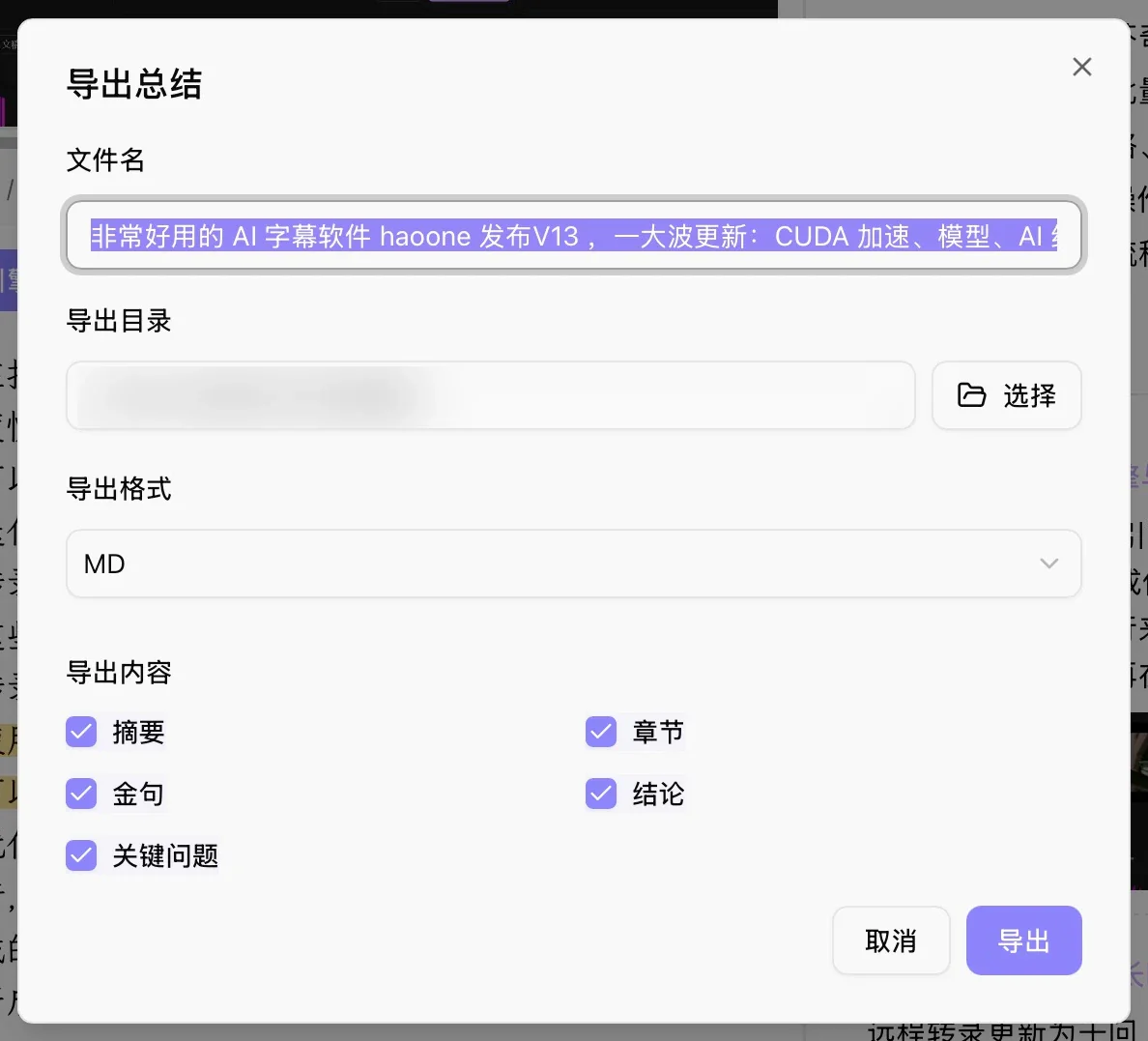
Choose MD or another format and included sections. Filename and destination belong to the demonstration.
Separate decisions from unresolved questions
For personal dictation, group ideas, reasons and next actions. For work discussions, separate issues, decisions and open questions. Do not invent owners or commitments to fill a template.
An unresolved discussion can remain a question. That is more useful than a falsely definitive conclusion when preparing the next review.
Add your interpretation after export
Markdown supports editing; plain text is simple to archive; HTML and PDF support reading. Label your later observations separately from the original speaker’s statements.
A local source file does not mean every selected service runs locally. Consider the configured transcription and summary services before processing sensitive recordings.
Frequently asked questions
Does this automatically join meetings?
This workflow imports existing recordings. It does not promise meeting attendance, live recording or a conferencing integration.
Can I use the transcript as notes?
Yes, but spoken material is often fragmented. A purpose-specific summary and your own annotations improve reuse.
Can exported notes be edited?
Choose Markdown or plain text and continue editing in your preferred application.
Start with one familiar source
Validate the workflow with a short recording before moving to longer material or a batch. Processing takes place in the Windows or macOS app; the website provides information and downloads. Software licensing is separate from AI usage. Local ASR does not consume official credits; online services, personal APIs and external agents may charge separately.
Start with one video
Create an account, download OctSum, then import, transcribe and summarize on your computer. AI service availability and costs depend on your chosen model and configuration.