 OctSum
Audio summaries: organize long recordings by topic and conclusion
An audio summary organizes a recording into topics, arguments and conclusions. Unlike a full transcript, it helps you decide which passages deserve another listen. OctSum transcribes the source first, then summarizes it with text and source timing as the main reference.
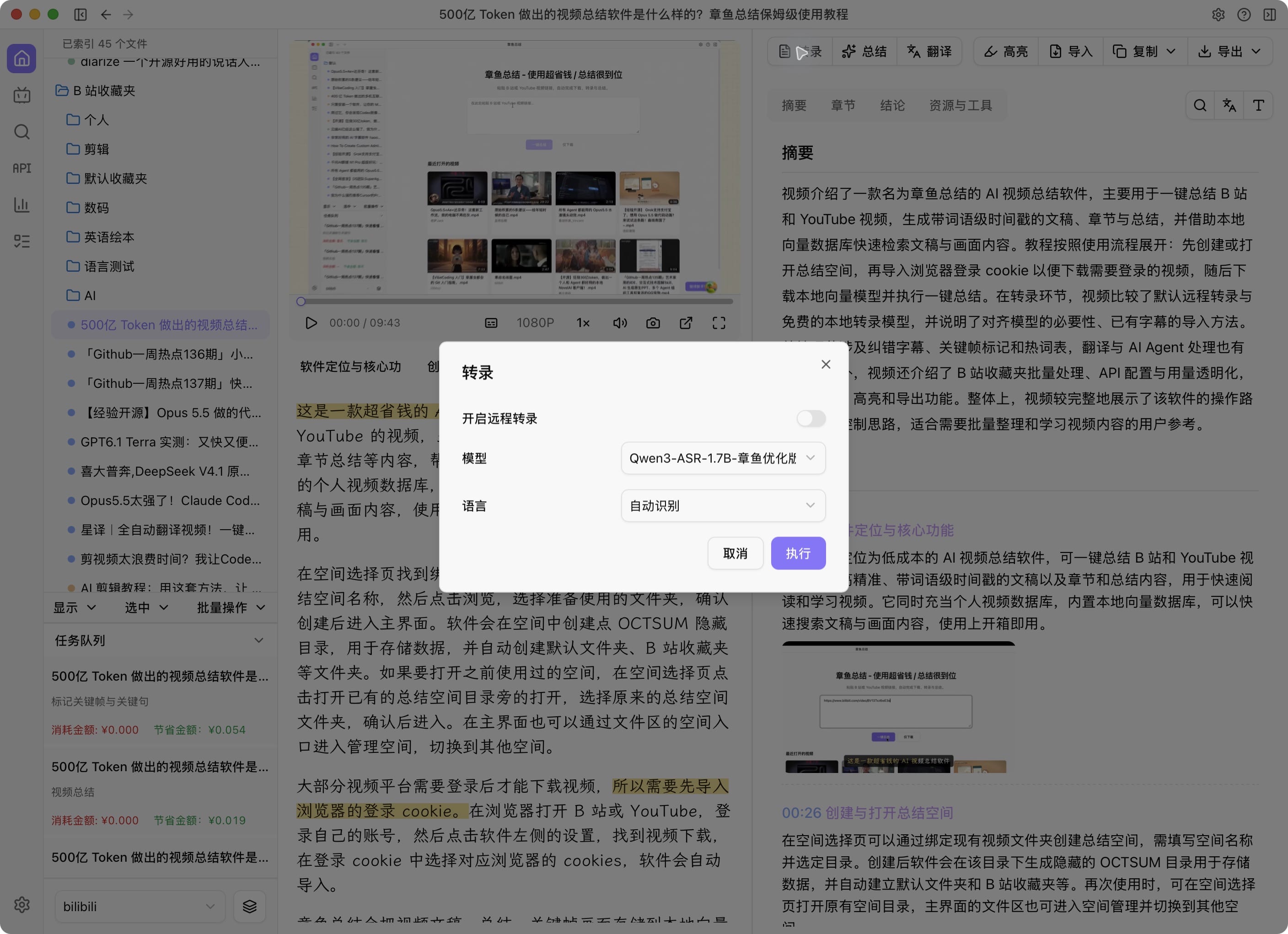
Real app view: local transcription model and source-language selection.
Check audibility before processing
Listen near the beginning, middle and end. Verify that speech is audible and the recording is not mostly silence. Background music, distant microphones and overlapping speakers can affect the transcript and therefore the summary.
Choose the known language or the supported automatic option. Review names, numbers and abbreviations instead of silently replacing unclear words with familiar ones.
The desktop workflow
- Open the recording in a workspace and check its language and audibility.
- Transcribe locally or remotely, review terms and generate topical sections.
- Listen back to important claims and export the summary and transcript as needed.
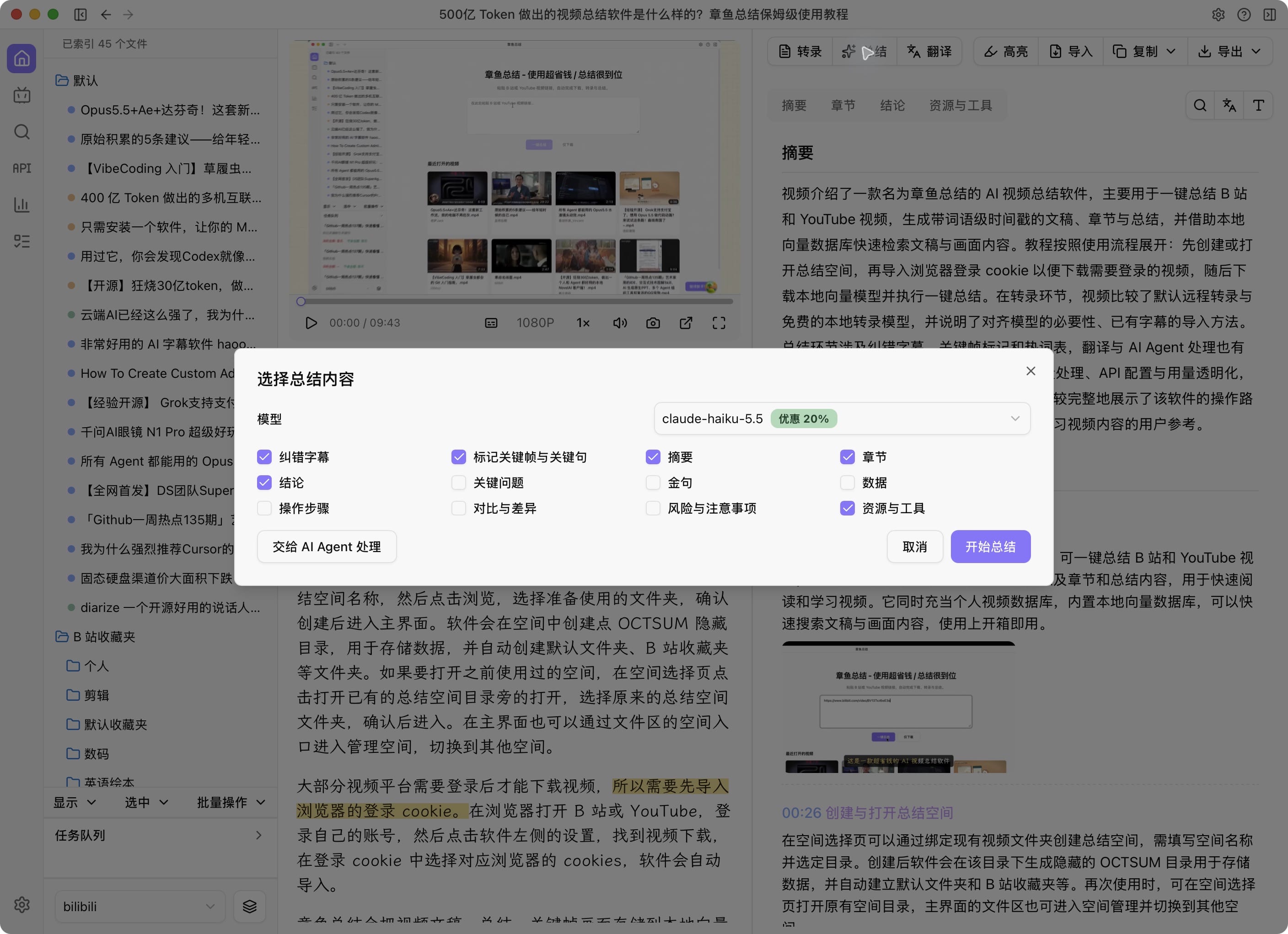
Real app view: summary sections, correction and keyframe options.
Organize topics rather than compress evenly
Keep topic changes and conditions that support a conclusion. Small talk may be shortened; the premise of an argument should remain. Separate questions, answers and follow-ups in discussions.
Start with an overview, chapters and conclusions, then add key questions when useful. Audio-only work should not imply source screenshots that do not exist.
Listen back before sharing
Select the most useful claims and revisit their source audio. Qualifiers such as “not always” can materially change meaning.
Save the summary for reading and the transcript for detail lookup. For private conversations, confirm the permitted use and avoid publishing unnecessary source recordings or personal information.
Frequently asked questions
How does this differ from transcription?
Transcription retains more spoken detail. A summary selects and organizes it; use the transcript and recording for exact wording.
Is the entire workflow offline?
Installed local ASR runs on your machine. Online summarization still needs its configured service.
Must long audio be split?
Try the complete file within current task and model limits. Split by topic only when necessary, preserving source order.
Start with one familiar source
Validate the workflow with a short recording before moving to longer material or a batch. Processing takes place in the Windows or macOS app; the website provides information and downloads. Software licensing is separate from AI usage. Local ASR does not consume official credits; online services, personal APIs and external agents may charge separately.
Start with one video
Create an account, download OctSum, then import, transcribe and summarize on your computer. AI service availability and costs depend on your chosen model and configuration.