 OctSum
AI video summaries: a practical first-video workflow
An AI video summary helps you decide what deserves a closer look. OctSum connects download, transcription and summarization in a desktop workflow. This guide explains the first run, the difference between a transcript and a summary, and how to check the result against the recording.
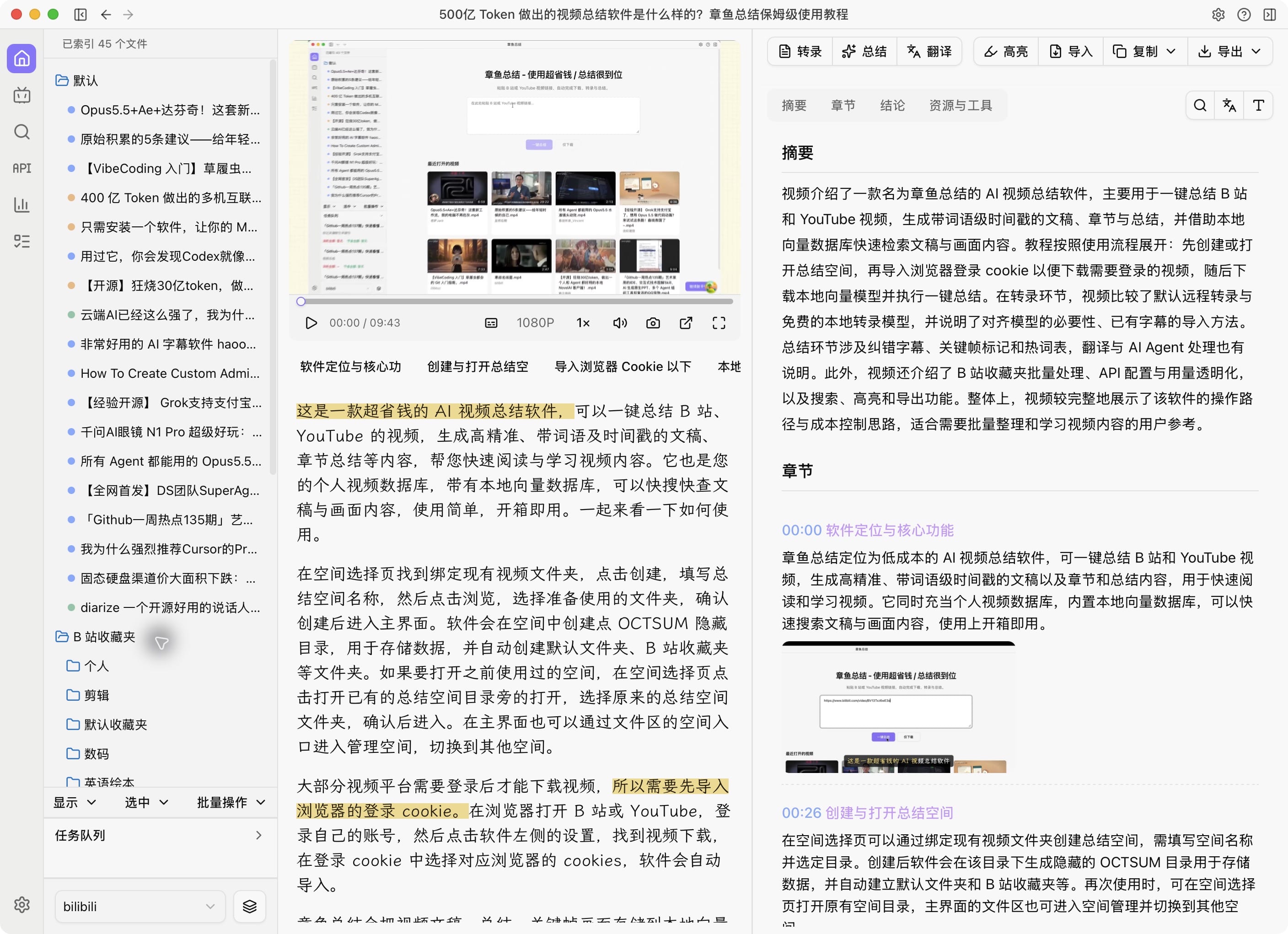
Real app view: reading the official OctSum tutorial with its transcript and summary.
Choose the right reading layer
A transcript preserves spoken detail; a summary condenses the subject; chapters provide an ordered route back into the source. Use all three rather than treating the shortest text as the final answer.
Processing takes place in the Windows or macOS app. This website explains the product and provides downloads; it is not a browser upload tool. Start with a short video you know well so you can judge what was retained.
The desktop workflow
- Create a workspace and prepare an accessible platform link or local video.
- Complete transcription, check important names, then choose summary sections and keyframe options.
- Read the result, revisit chapter timestamps and export only what you need.
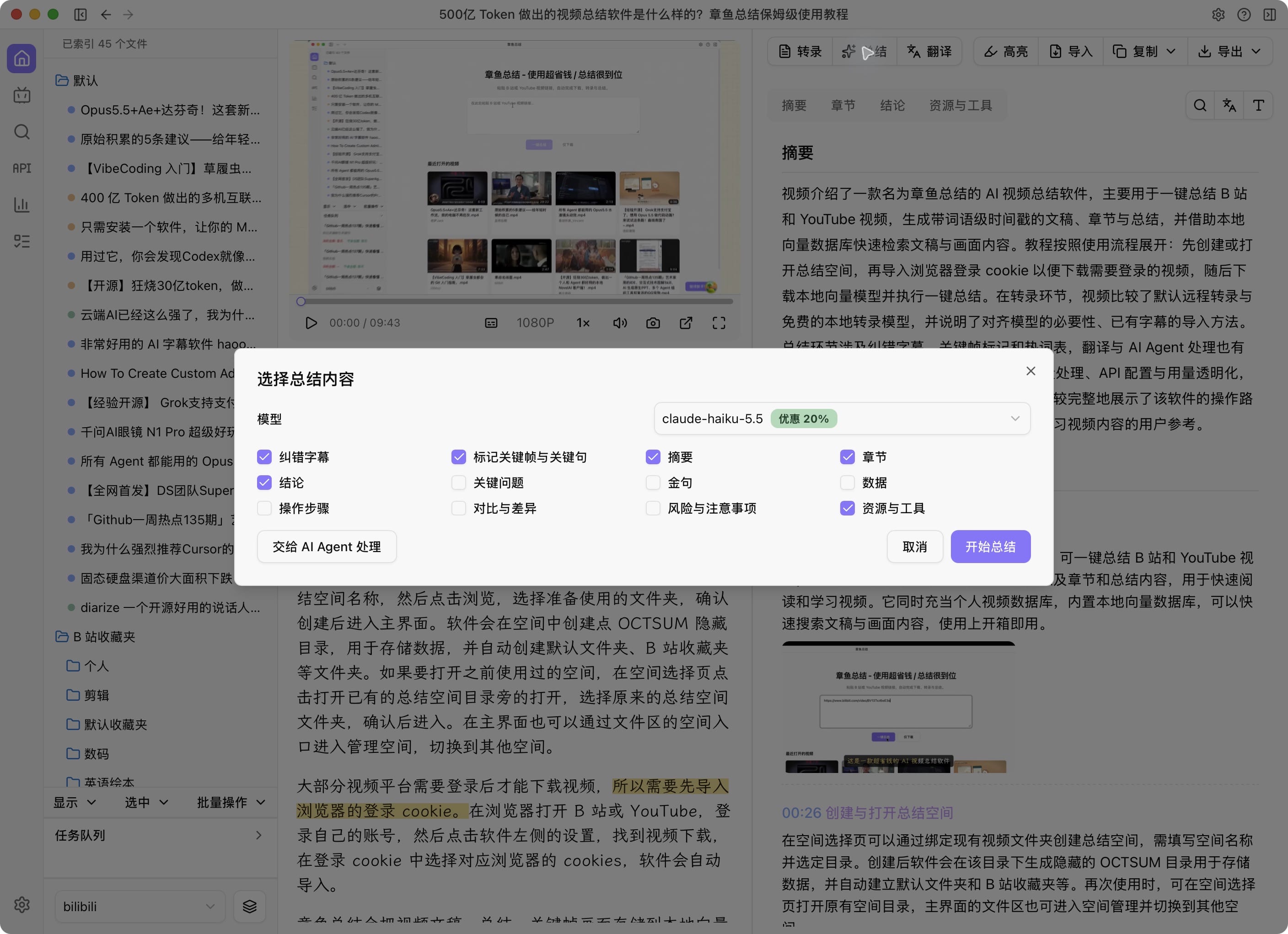
Real app view: summary sections, correction and keyframe options.
Select useful output sections
Open Summary and confirm the model and sections. Use operation steps for a tutorial or key questions for a discussion. Enable keyframe and key-sentence marking when you need illustrated notes.
Extra sections create more output to read and can increase usage. Generate for a specific purpose, then check coverage before submitting another request.
Check a claim, a number and a name
Choose one familiar claim, one number and one proper name. Compare each with the transcript and source moment. Watch for advice rewritten as fact or one example generalized into a rule.
A useful first result has a readable overview, navigable chapters and a transcript that supports checking. Length, fluent prose and a single successful demonstration do not establish accuracy for every input.
Frequently asked questions
Does the video need subtitles?
No. Transcribe its speech first. Understandable audio is still required; a silent visual sequence does not supply a spoken transcript.
Is summarization free with local ASR?
Local ASR does not consume OctSum AI credits. Online summarization, personal APIs and external agents may have separate charges.
Must I regenerate every time?
Check existing results first. Reuse depends on compatible available data; regeneration can create a new paid request.
Start with one familiar source
Validate the workflow with a short recording before moving to longer material or a batch. Processing takes place in the Windows or macOS app; the website provides information and downloads. Software licensing is separate from AI usage. Local ASR does not consume official credits; online services, personal APIs and external agents may charge separately.
Start with one video
Create an account, download OctSum, then import, transcribe and summarize on your computer. AI service availability and costs depend on your chosen model and configuration.