 OctSum
Batch video summaries: validate one file before processing many
Batch summaries reduce repetitive selection and submission for saved videos, courses and recordings. They do not remove the need to review each result. Validate models, sections and usage on one representative file before applying the workflow to a larger set.
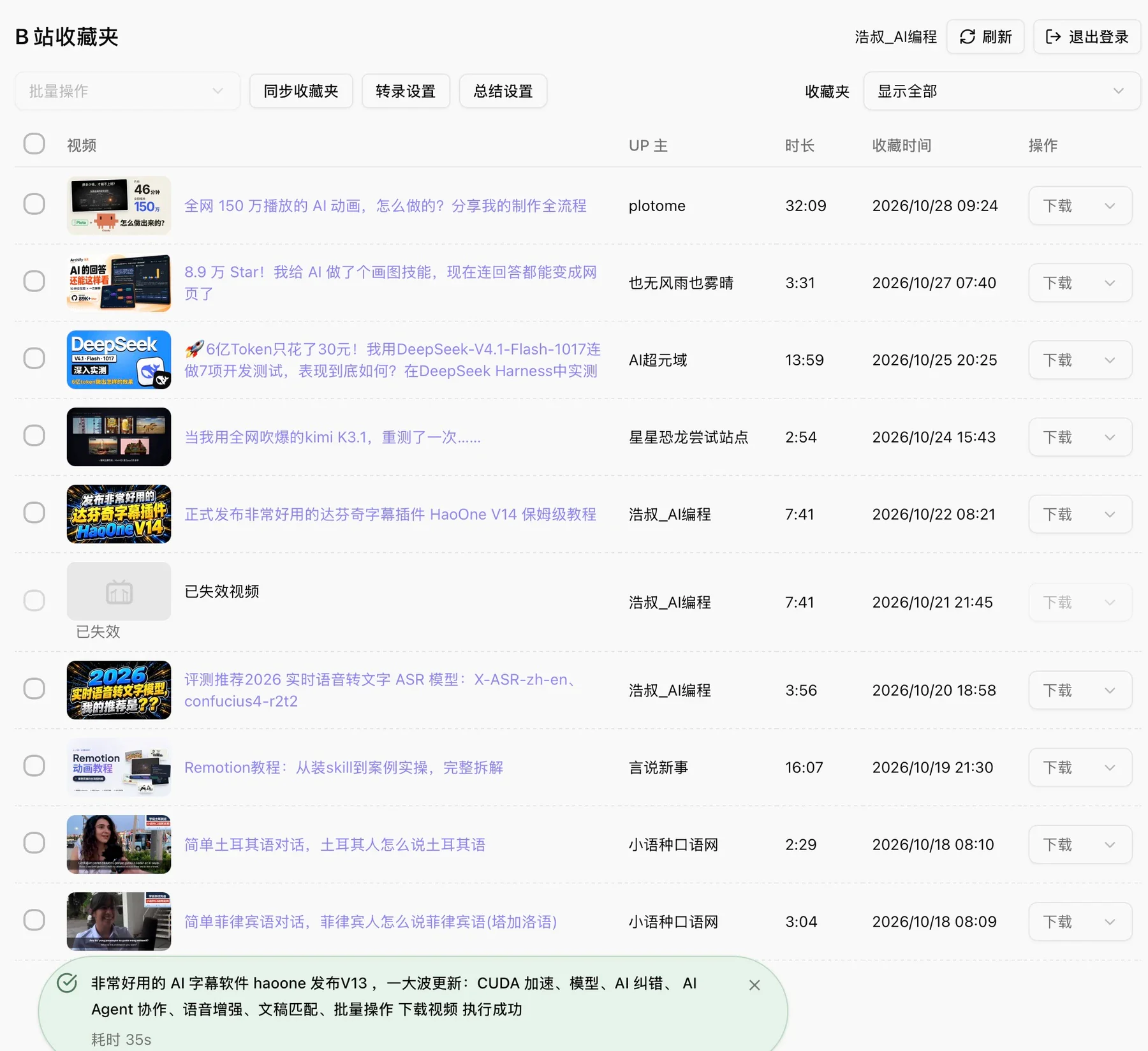
Bilibili favorites and batch controls. Source availability remains subject to platform rules.
Define a coherent batch
Separate inputs by language, source and intended output. Decide whether the batch needs full transcripts, short overviews, chapters or illustrated notes before applying shared preferences.
Listing a platform favorite is not proof that it can be downloaded. Unavailable sources and login requirements must be resolved separately.
The desktop workflow
- Group inputs and validate transcription and summary settings on one item.
- Select files or accessible Bilibili favorites, then submit the batch operation.
- Review each stage, retry only affected tasks and check actual usage.
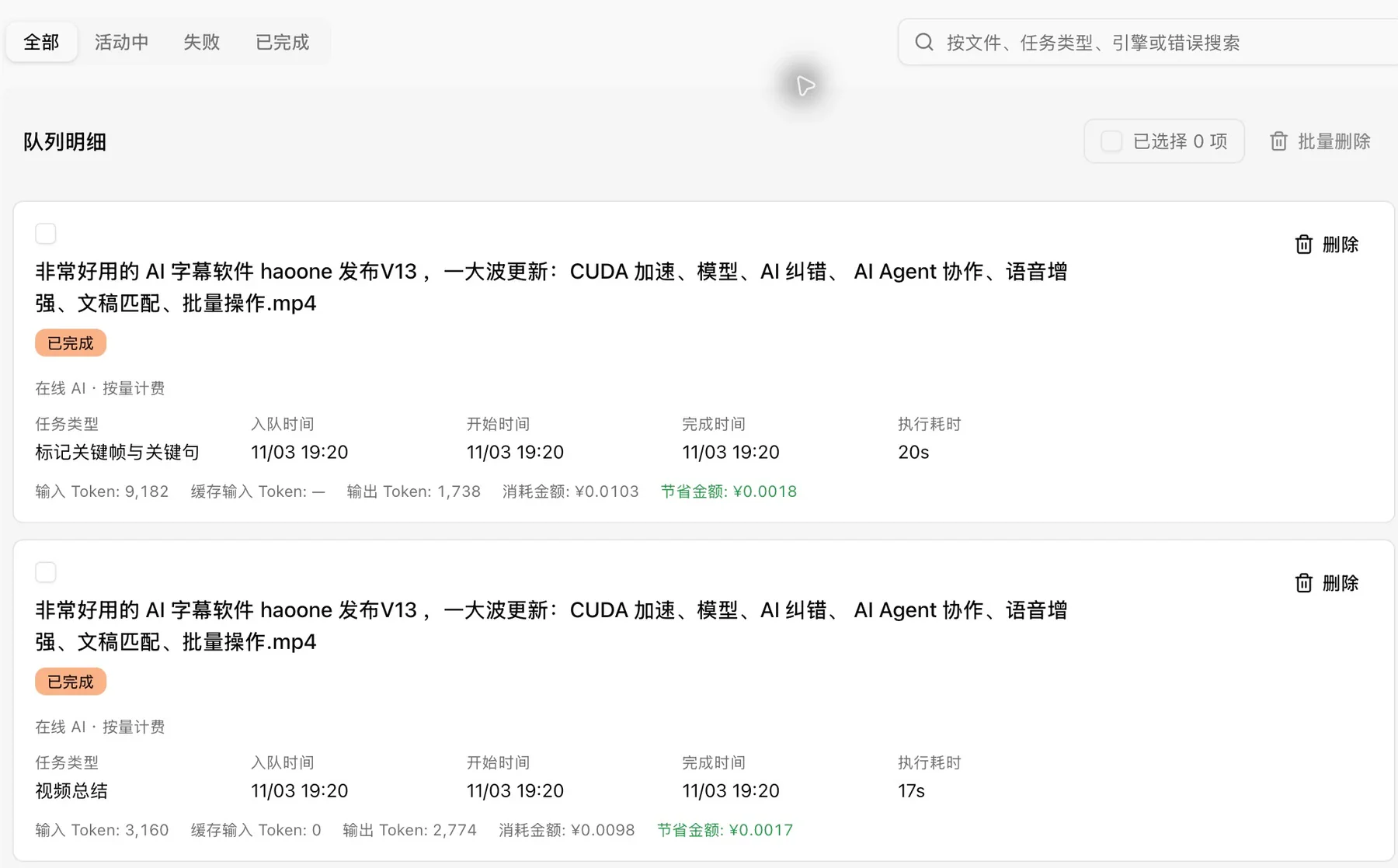
Completed tasks and historical usage. The displayed amounts are not a fixed tariff.
Read the queue by task stage
A successful download does not mean transcription and summarization are complete. Keyframe processing may continue after text appears. Inspect the task type and result rather than one overall progress figure.
Resolve the specific cause of a failed task before retrying it. Avoid recreating an entire batch when many items have already succeeded.
Review both outputs and actual usage
Sample recordings with different lengths, languages and audio quality. Important material still needs individual review. A short successful test does not establish uniform performance.
Separate local work, online calls and reused results in usage records. Screenshot amounts illustrate past tasks; they are neither a fixed tariff nor a promised savings ratio.
Frequently asked questions
Is concurrency unlimited?
No. App and service limits still apply to batch submissions.
Should I rerun the whole batch after a failure?
Keep completed results and investigate only failed or missing stages.
Are all favorites downloadable?
No. Availability, login and platform rules affect access.
Start with one familiar source
Validate the workflow with a short recording before moving to longer material or a batch. Processing takes place in the Windows or macOS app; the website provides information and downloads. Software licensing is separate from AI usage. Local ASR does not consume official credits; online services, personal APIs and external agents may charge separately.
Start with one video
Create an account, download OctSum, then import, transcribe and summarize on your computer. AI service availability and costs depend on your chosen model and configuration.